Installing ListoMax for the first time
The first time you open it, Windows shows a purple warning screen. That's expected, and it takes two clicks to get past. Here's why, and how.
ListoMax is new software. Windows shows this screen — called SmartScreen — for any program that hasn't yet been downloaded thousands of times, whoever the publisher is. It is not a virus detection: Windows found nothing in the file, it simply doesn't recognise it yet. The warning will disappear on its own as more people download the software.
The 2 clicks you need
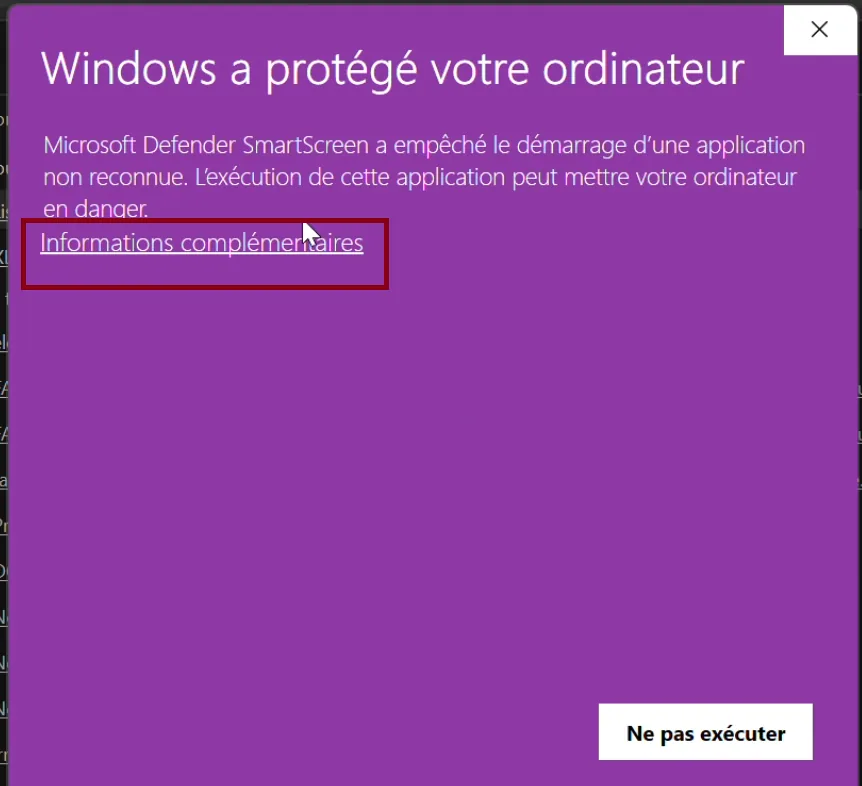
The purple screen appears when you launch the installer. Don't close the window: the button to continue is simply hidden.
Click More info
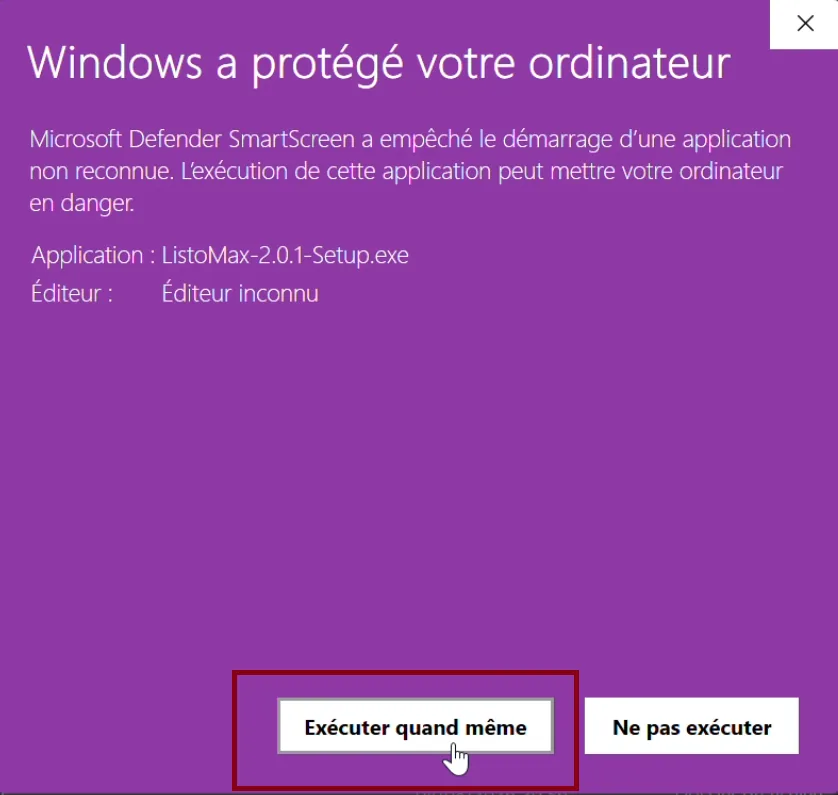
This small link sits just below the text “Windows protected your PC”. It expands the window and shows the file name and its publisher.
Click Run anyway
The button appears at the bottom of the expanded window. The installation then starts normally, and this screen won't show up again for this version.
Security checks
You should be able to check who you're dealing with before installing anything. Here's what you can verify.
A real person, a registered business
ListoMax is published by Yvan Barbaggio, a sole trader based in Bastia, France, registered under SIREN 412 474 280. These details are publicly verifiable and are listed in our legal notice.
An inbox that answers
A question or a doubt before installing? Email support@listomax.io. The publisher himself replies, usually within 48 business hours.
The software works without internet
ListoMax installs and runs without a connection. Internet is only used when you publish to your stores, or to activate your licence. Nothing is loaded from a server at startup.
No data sent anywhere
Your product listings, images and store keys stay on your computer. ListoMax collects no usage statistics and sends your data to no one. See our privacy policy.